
How to manage multi-therapist schedules efficiently
As a physiotherapy clinic grows, the schedule becomes an operational system: it affects patient experience, therapist workload, billing accuracy and owner visibility.
What to set up
- A login for each therapist, so the calendar shows who is seeing whom and each person sees their own day.
- Courses booked in one go, for example every other day for a fortnight, instead of one visit at a time.
- Clinic sessions and home visits on the same calendar, so travel time is visible before it becomes a clash.
- Tomorrow's list checked each evening, with a reminder sent to each patient.
- Sessions per therapist reviewed each month, to keep the load even.
How PhysioDesk helps
The calendar shows appointments by day or week, per therapist. Repeating appointments are booked in one go, and clashes are reported rather than silently dropped. Reminders lists tomorrow's appointments so each patient can be messaged on WhatsApp.
In PhysioDesk
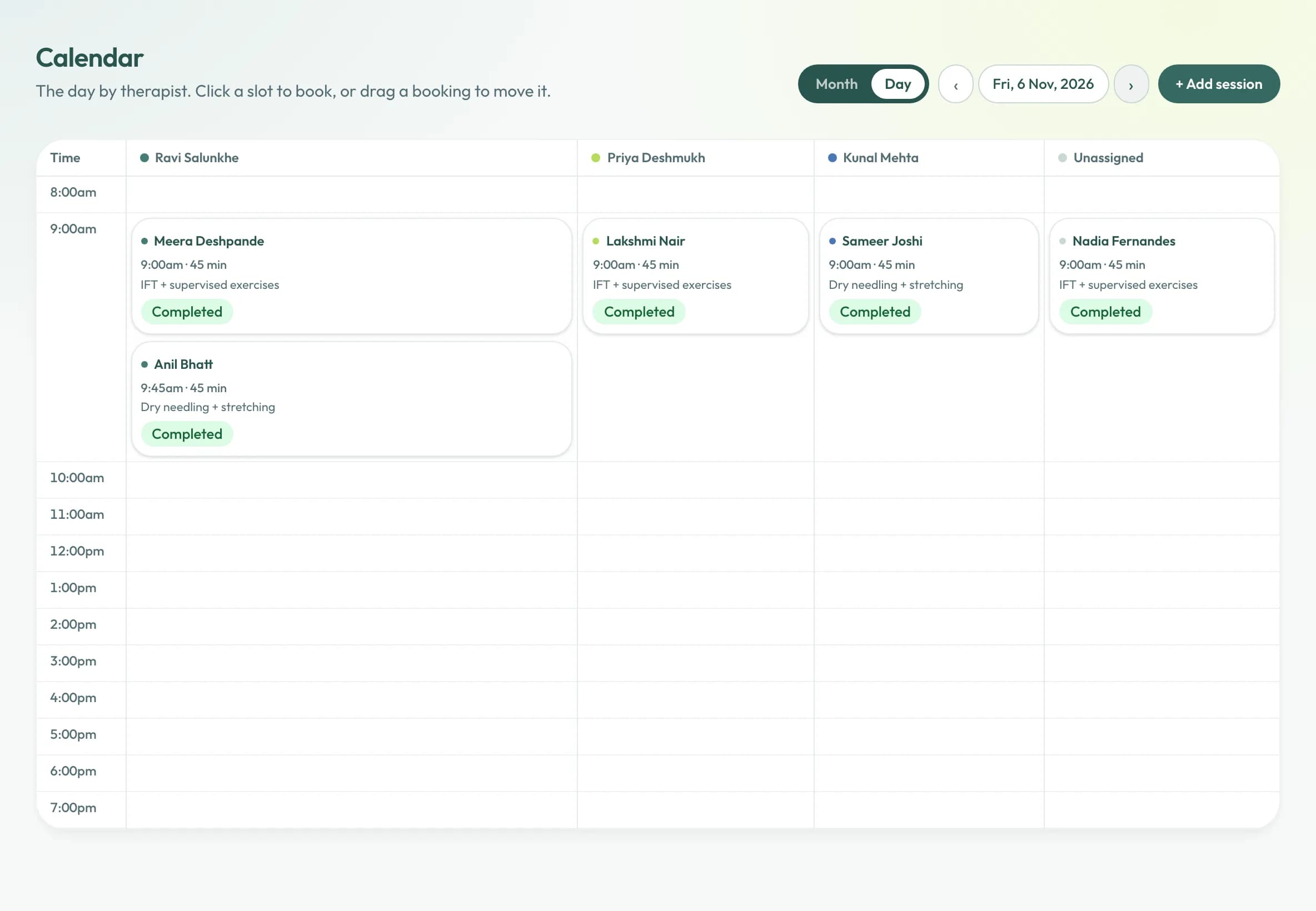
The day, by therapist.
One column per therapist, each booking showing the patient, the time and what is planned. Drag a booking to move it.
Sessions per therapist, each month.
A quick look at who carried how many sessions shows whether the load is even before it becomes a problem.
- Therapist A
- 64
- Therapist B
- 58
- Therapist C
- 31
Illustrative figures. Therapist C has room for the next new patient.
In PhysioDesk
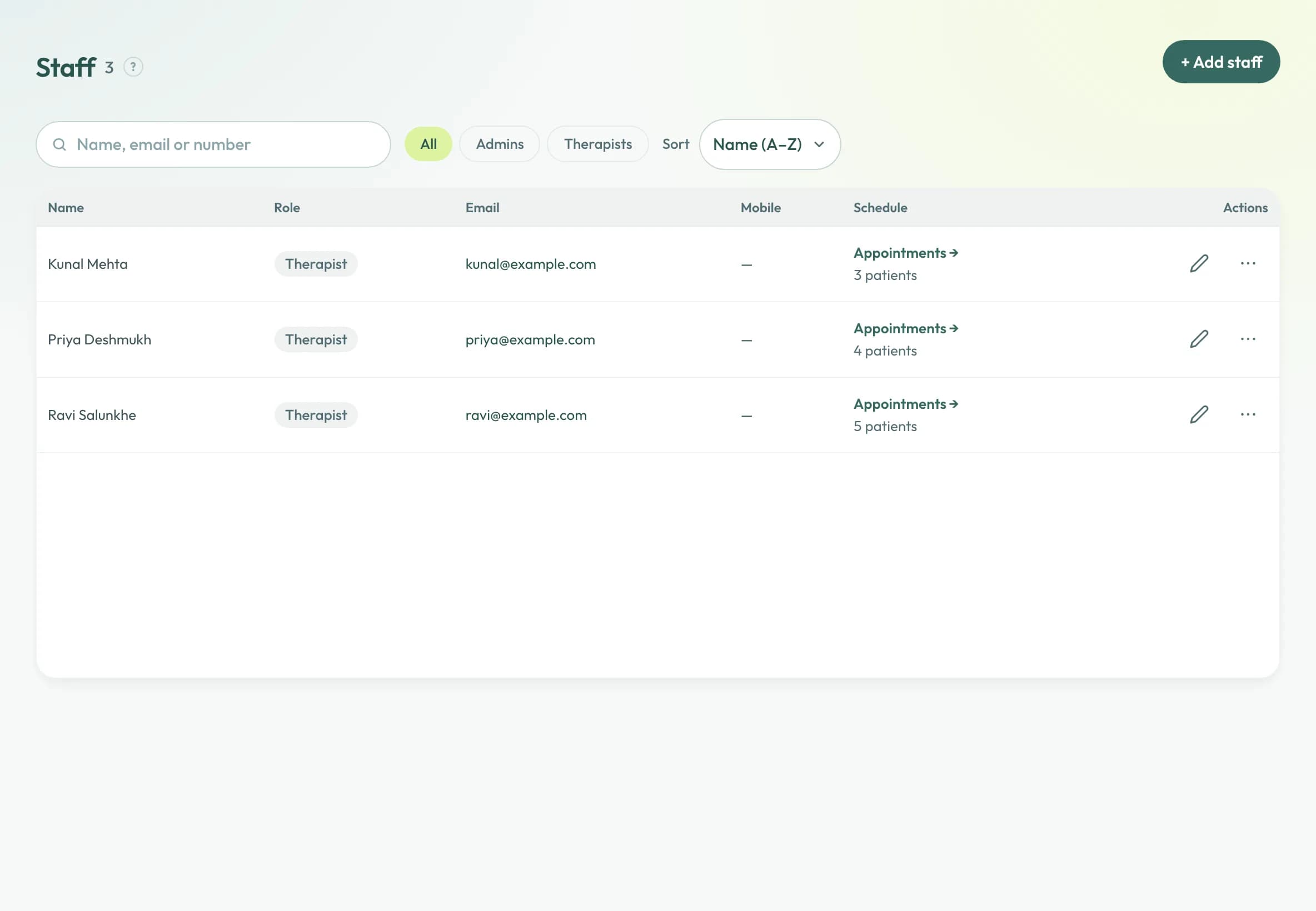
A login for each therapist.
Each person signs in as themselves and sees the patients and sessions assigned to them; the owner adds and removes logins.
What clinics say.
Switching from paper records to this was the best decision we made this year. Generating PDF bills and sending updates directly on WhatsApp saves us at least an hour of routine admin every single day.
Honestly started with the free plan just to test out the software for a couple of patients. Upgraded to Basic within two weeks because the interface is completely hassle-free.
Love the dark mode option! When you’re staring at a screen between patient sessions all day, it’s much easier on the eyes. Really thoughtful touch.
Patient records are safe here.
Only your clinic sees its records
Each clinic's records are closed to every other clinic, and each staff member sees only what their role allows.
Every look is on the record
Each time a patient record is opened, changed or exported, it goes into a log that cannot be altered without it showing.
Nothing is lost by mistake
A deleted record, or a closed clinic, is hidden and kept rather than erased.
Your data stays yours
Download everything your clinic holds, from Settings, whenever you like.
Free to start, and no card to begin with. See the plans
Free to start, and no card to begin with.
Open an account and use it with real patients. Move up only when the clinic has outgrown what the free tier holds.